HTML Structure Extractor
Tool Introduction
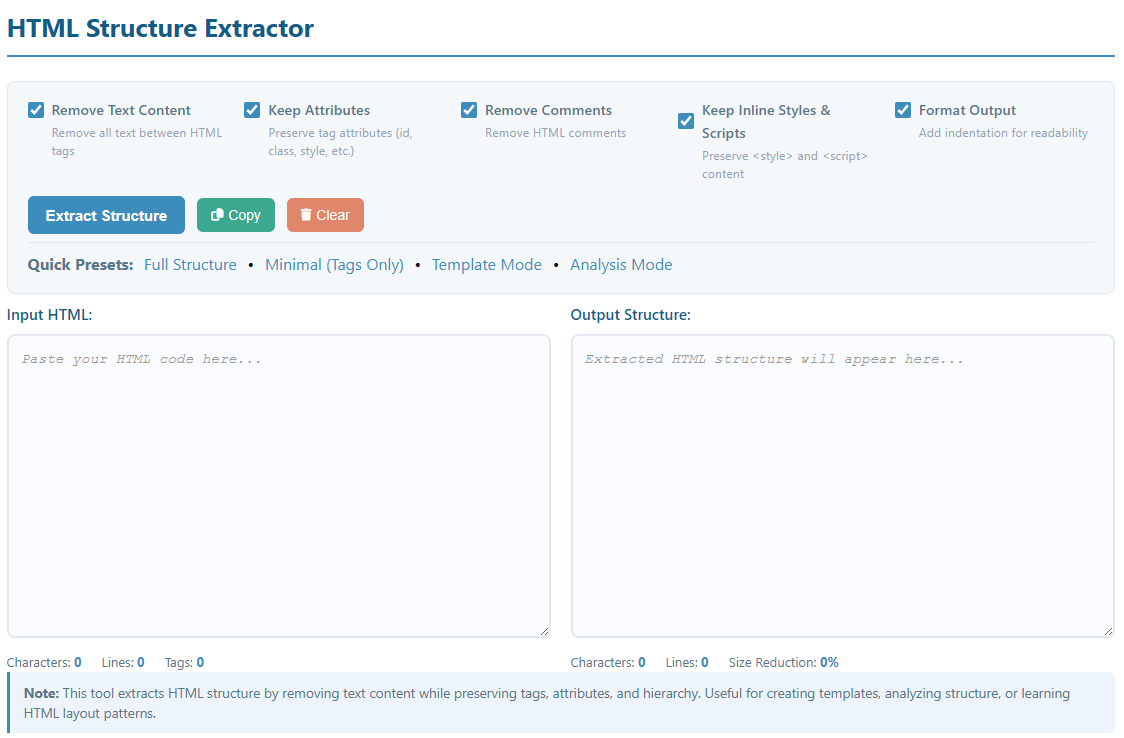
The HTML Structure Extractor is a powerful tool designed to isolate and extract the structural skeleton of HTML documents. By removing text content while preserving all HTML tags, attributes, and hierarchy, this tool helps developers, designers, and SEO specialists analyze page structure, create templates, and understand HTML layouts without the distraction of content.
Unlike simple text removers, our intelligent parser understands HTML syntax and preserves important structural elements including tag attributes (class, id, data-*, etc.), inline styles, embedded scripts, and the complete DOM hierarchy. This makes it perfect for creating reusable templates or studying the structure of complex web pages.
Key Features:
- Removes all text content between HTML tags
- Preserves complete tag hierarchy and nesting
- Keeps or removes attributes based on your preference
- Option to preserve inline CSS and JavaScript
- Automatic HTML comment removal
- Format output with proper indentation
- Real-time statistics (character count, tag count, size reduction)
- Multiple preset modes for different use cases
How to Use
Extracting HTML structure is simple with our intuitive interface:
- Paste Your HTML: Copy and paste your HTML code into the "Input HTML" text area. This can be a complete webpage, a snippet, or any HTML fragment.
- Choose Options:
- Remove Text Content: Removes all text between tags (recommended)
- Keep Attributes: Preserves class, id, style, and other attributes
- Remove Comments: Strips out HTML comments
- Keep Inline Styles & Scripts: Preserves <style> and <script> tag contents
- Format Output: Adds indentation for better readability
- Or Use Quick Presets:
- Full Structure: Keep everything except text content
- Minimal: Only tags, no attributes or comments
- Template Mode: Perfect for creating reusable templates
- Analysis Mode: Best for studying page structure
- Extract Structure: Click the "Extract Structure" button to process your HTML.
- Get Results: The extracted structure appears in the "Output Structure" area. Use the Copy button to copy it to your clipboard.
Pro Tips:
- Use "Keep Attributes" when creating templates that need specific classes or IDs
- Enable "Format Output" to make the structure more readable
- Disable "Keep Inline Styles & Scripts" for a cleaner structural view
- Check the statistics to see how much the HTML has been reduced
- Use keyboard shortcuts: Ctrl+Enter to extract, Ctrl+Shift+C to copy
Common Use Cases
Template Creation
Extract the HTML structure from existing pages to create reusable templates. Perfect for building theme frameworks, starter templates, or boilerplates with consistent structure.
Structure Analysis
Analyze the HTML structure of competitor websites or complex pages to understand their layout patterns, semantic structure, and architectural decisions without content distractions.
Learning HTML
Students and beginners can extract structures from professional websites to study and understand HTML best practices, semantic markup, and proper tag hierarchy.
Debugging Layout Issues
Isolate structural problems by removing content. This makes it easier to identify nesting issues, unclosed tags, or improper HTML hierarchy that might cause layout bugs.
SEO Audit
Review the semantic structure of pages for SEO purposes. Check proper heading hierarchy (H1-H6), semantic tags usage, and overall document structure without content noise.
Design System Documentation
Document component structures in design systems. Extract clean HTML skeletons for UI components to include in style guides and pattern libraries.
Accessibility Testing
Evaluate page structure for accessibility compliance. Check landmark regions (header, nav, main, footer), ARIA attributes, and semantic HTML usage more clearly.
Content Migration Planning
When migrating content between CMS platforms, extract the structure first to plan how content should be mapped to the new system while preserving semantic meaning.
Best Practices: Always validate your extracted HTML structure to ensure it's well-formed. The tool preserves tag hierarchy but you should verify that all tags are properly closed and nested.