HTML Tag Remover
Tool Introduction
The HTML Tag Remover is a simple yet powerful tool to strip all HTML tags from your code and extract clean, plain text content. It's ideal for converting HTML-formatted content (like web pages, emails, or CMS outputs) into raw text for editing, analysis, or reuse.
Key Features:
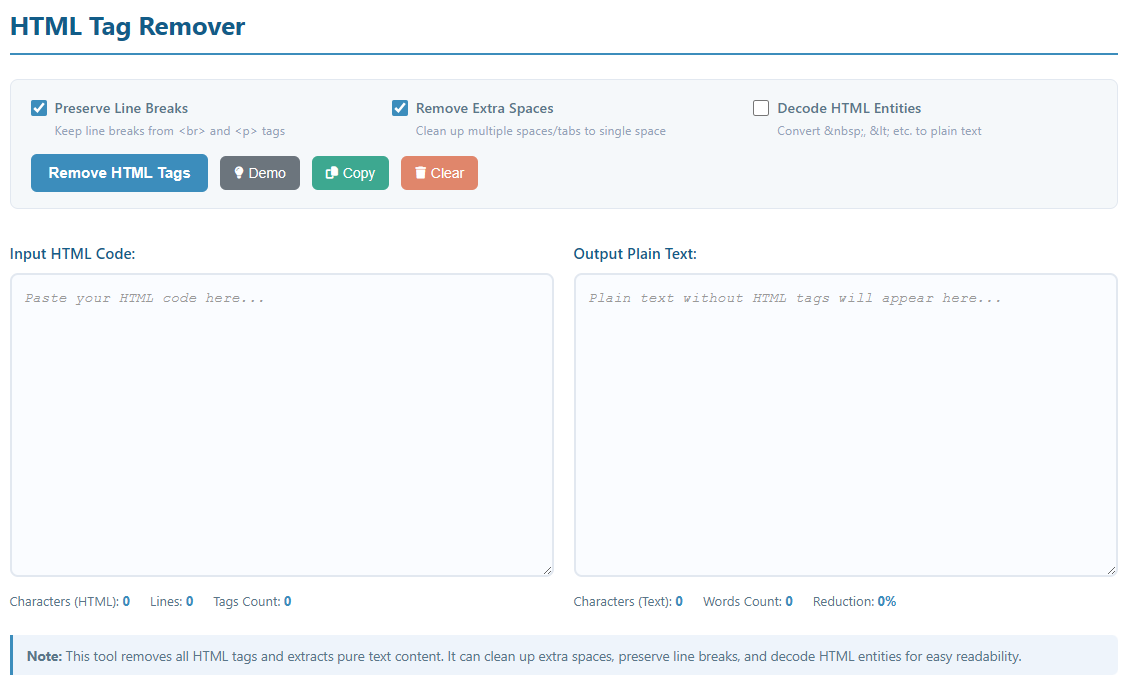
- Remove all HTML tags (including <div>, <p>, <span>, <a>, etc.)
- Optional line break preservation (from <br> and <p> tags)
- Clean up extra spaces and tabs for neat output
- Decode HTML entities (e.g., → space, < → <)
- Real-time statistics (character/word count, size reduction)
- One-click copy to clipboard and clear functionality
- Demo mode to test the tool with sample HTML content
How to Use
- Paste HTML Code: Copy and paste your HTML content into the "Input HTML Code" text area.
- Configure Options:
- Preserve Line Breaks: Keep line breaks from HTML paragraph/break tags
- Remove Extra Spaces: Clean up redundant spaces and tabs
- Decode HTML Entities: Convert special HTML characters to plain text
- Try Demo: Click the "Demo" button to load a sample HTML snippet and see the tool in action.
- Remove Tags: Click the "Remove HTML Tags" button to process your content.
- Copy Result: Use the "Copy" button to copy the plain text result to your clipboard.