Remove Prefix and Suffix
What is the Remove Prefix & Suffix Tool?
The Remove Prefix & Suffix tool is a powerful text utility designed to help you mass-delete specific strings from the beginning or the end of your content. Unlike simple find-and-replace, this tool offers granular control over where the removal happens—whether it's at the very start of a document, for every single line, or for each distinct paragraph.
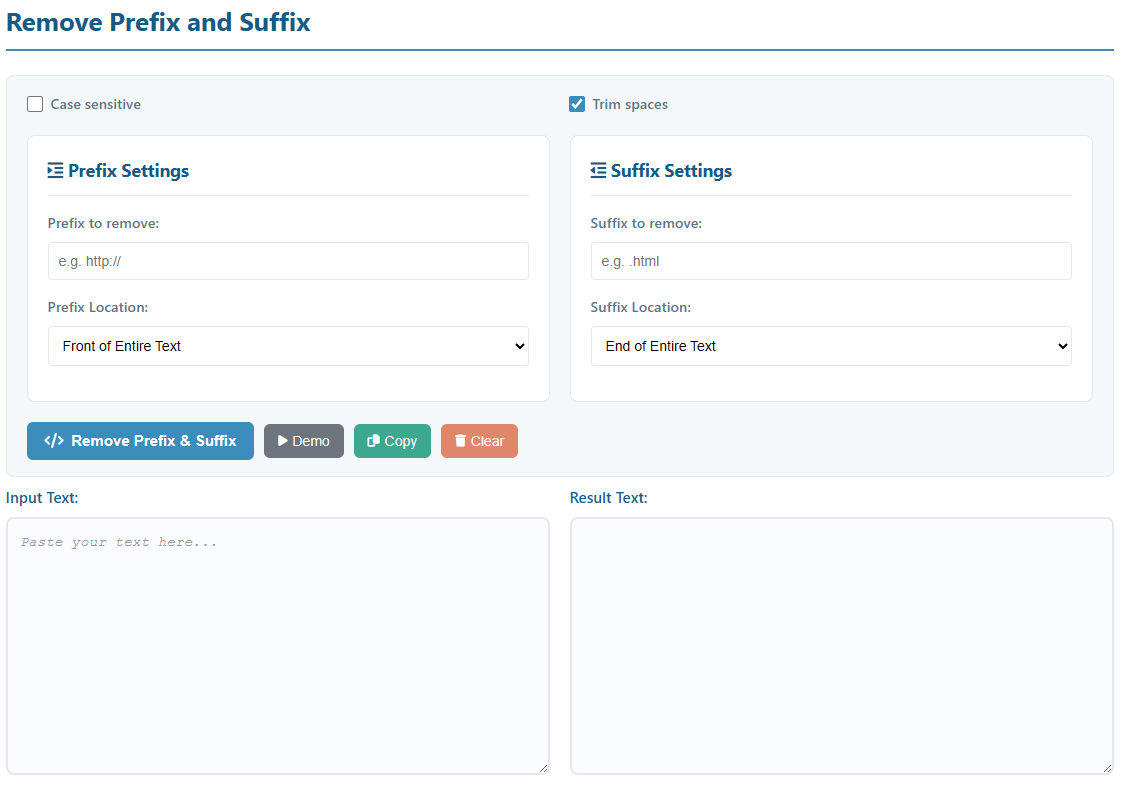
How to Use
- Input Text: Paste your source text into the "Input Text" area.
- Configure Prefix/Suffix: Enter the specific text you want to remove in the "Prefix to remove" or "Suffix to remove" fields.
- Select Location:
- Entire Text: Removes only once at the very beginning or end of the whole input.
- Each Line: Removes the target text from every individual line.
- Each Paragraph: Removes the target text from the start/end of blocks of text separated by empty lines.
- Toggle Options: Enable "Case sensitive" for exact matches or "Trim spaces" to clean up leading/trailing whitespace automatically.
- Execute: Click Remove Prefix & Suffix and copy your result.
Key Features
- Smart Location Awareness: Target specific structural parts of your text (lines vs. paragraphs) without affecting the middle content.
- Regex-Safe Processing: The tool automatically handles special characters like
[ ] ( ) * +, ensuring your removal is literal and accurate. - Multi-line Support: Optimized for large datasets, log files, and long lists.
- Privacy First: All processing is done locally in your browser. Your data is never sent to any server.
Common Use Cases
URL Cleaning
Quickly strip https:// or trailing slashes / from a list of thousands of website links.
Log File Filtering
Remove repetitive timestamps or prefix tags like [INFO] or ERR: from the start of every log line.
Code Formatting
Remove comment symbols (like // or #) or indentation markers from snippets.
Data Normalization
Clean up database exports by removing unwanted quotes or brackets from the start and end of each record.