Remove HTML Comments
Tool Introduction
The Remove HTML Comments tool strips all <!-- ... --> comment blocks from your HTML source — including single-line, multi-line, and Internet Explorer conditional comments. It's perfect for cleaning up HTML before deploying to production or sharing code snippets.
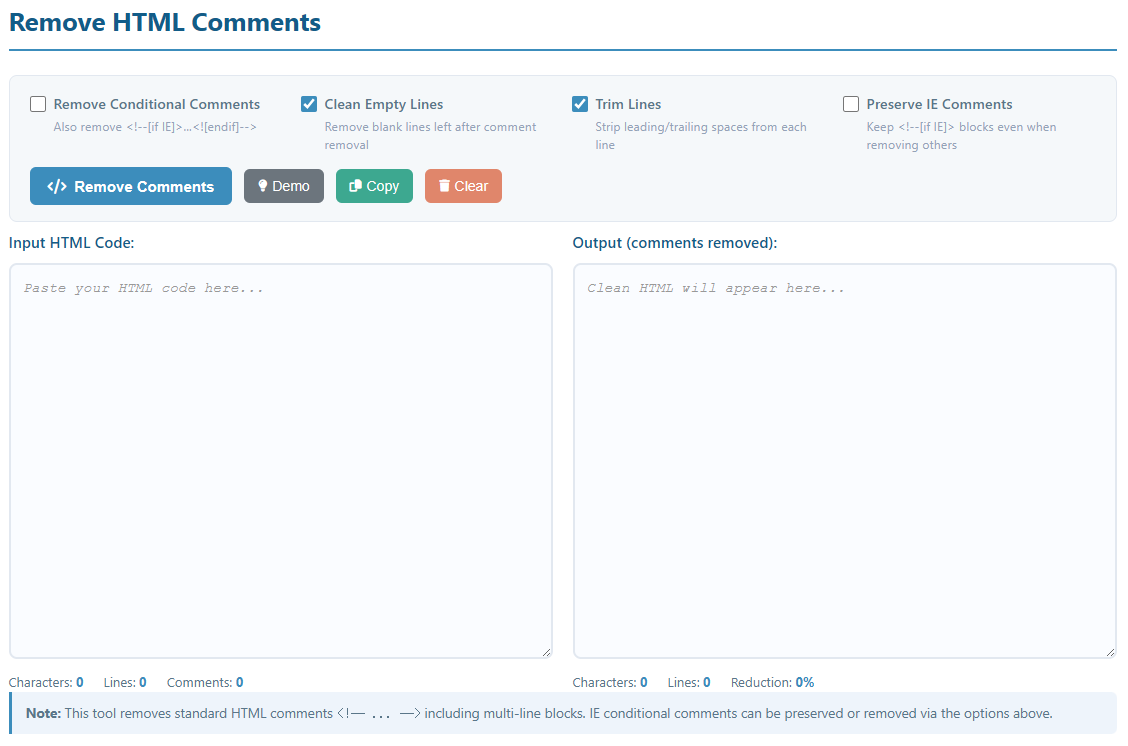
Key Features:
- Remove all standard HTML comments, including multi-line blocks
- Optional removal of IE conditional comments (
<!--[if IE]>) - Option to preserve IE conditional comments while removing all others
- Clean up blank lines left behind after comment removal
- Trim leading/trailing whitespace from each line
- Real-time stats: character count, line count, comment count, size reduction
- One-click copy to clipboard and clear functionality
- Demo mode with realistic multi-comment HTML sample
How to Use
- Paste HTML Code: Copy and paste your HTML source into the "Input HTML Code" area.
- Configure Options:
- Remove Conditional Comments: Strip IE conditional comment blocks in addition to regular comments.
- Clean Empty Lines: Delete blank lines that remain after comments are removed.
- Trim Lines: Remove leading and trailing whitespace from every line.
- Preserve IE Comments: Keep
<!--[if IE]>blocks intact even when removing regular comments (overrides the option above).
- Try Demo: Click "Demo" to load a sample HTML file with various comment types.
- Remove Comments: Click the "Remove Comments" button to process your HTML.
- Copy Result: Use the "Copy" button to copy the clean HTML to your clipboard.
Common Use Cases
Production Deployment
Strip developer notes and debug comments from HTML before pushing to a live server. Smaller files load faster and comments are invisible to users anyway.
Code Minification
Use comment removal as the first step in an HTML minification pipeline before collapsing whitespace and inlining assets to maximise file-size reduction.
Creating Clean Code Examples
Prepare HTML snippets for documentation, blog posts, or presentations by removing internal developer comments that are distracting or confidential.
Code Obfuscation
Remove comments that describe proprietary logic or architecture as a basic first step before delivering client-side code to third parties.
Legacy Code Cleanup
Clear out outdated, incorrect, or excessive comments from inherited HTML templates before refactoring, making the code easier to read and reason about.
Security Hardening
Ensure no sensitive information — API endpoints, environment notes, or internal paths — is accidentally left in HTML comments that are visible in browser DevTools.
Code Metrics & Analysis
Get accurate line-of-code counts by stripping comments first, giving a true picture of the amount of active markup in a template or page.
Template Migration
When porting HTML templates between frameworks or CMS platforms, remove framework-specific comment annotations that are no longer relevant in the new context.
Note: Always keep well-commented source files in your development environment. Remove comments only from build artefacts or shared snippets — comments are essential for long-term maintainability and team collaboration.