Remove Numbers from Text
Tool Introduction
The Remove Numbers from Text tool helps you strip numeric characters from any text content. Whether you need to clean up data, remove reference numbers, or extract non-numeric content, this tool provides flexible options to match your needs.
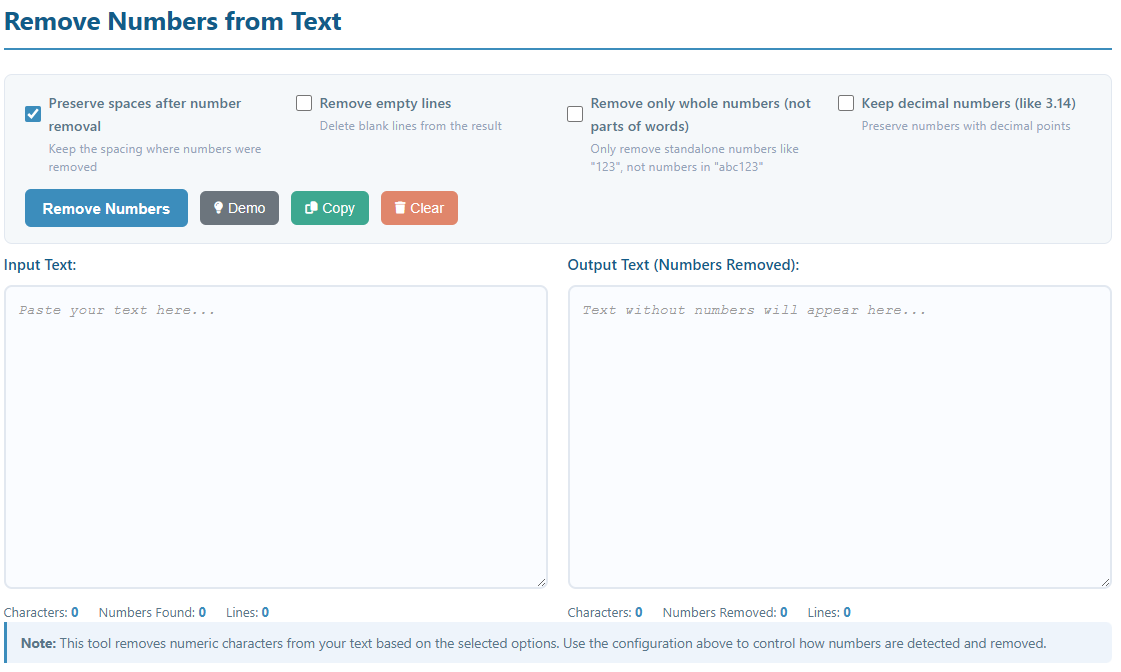
Key Features:
- Remove all numbers or only specific types of numbers
- Option to preserve or remove spacing after number removal
- Remove only standalone numbers, keeping alphanumeric combinations
- Option to keep decimal numbers while removing integers
- Automatically remove empty lines after processing
- Real-time statistics showing numbers found and removed
- One-click copy and clear functionality
- Demo mode with sample text for testing
How to Use
- Paste Text: Copy and paste your text into the "Input Text" area.
- Configure Options:
- Preserve spaces after number removal: When checked, spaces left behind after removing numbers are kept. When unchecked, extra spaces are cleaned up.
- Remove empty lines: Automatically delete blank lines that may result from number removal.
- Remove only whole numbers: Only remove standalone numbers (e.g., "123") and keep numbers that are part of words (e.g., "abc123" stays as "abc123").
- Keep decimal numbers: Preserve numbers with decimal points (e.g., "3.14", "99.99") while removing whole numbers.
- Try Demo: Click the "Demo" button to load sample text with various number formats.
- Process Text: Click the "Remove Numbers" button to clean your text.
- Copy Result: Use the "Copy" button to copy the processed text to your clipboard.
Understanding the Options
Option Combinations:
- Default (all unchecked): Removes all numbers from everywhere, including within words, collapses spaces, and keeps decimal points.
- Whole numbers only: Removes only standalone numbers like "42" or "2024", but keeps "abc123" or "room101" intact.
- Keep decimals: Preserves "3.14" or "99.99" while removing integers like "5" or "100".
- Preserve spaces + Remove empty lines: Maintains readability by keeping spacing but removing unnecessary blank lines.
Common Use Cases:
- Data Cleaning: Remove reference numbers from text documents
- Text Extraction: Extract only alphabetic content from mixed data
- Content Processing: Clean up scraped or imported text data
- Format Conversion: Prepare text for specific formats that don't allow numbers
- Academic Writing: Remove footnote or citation numbers from text