Remove Spaces
Tool Introduction
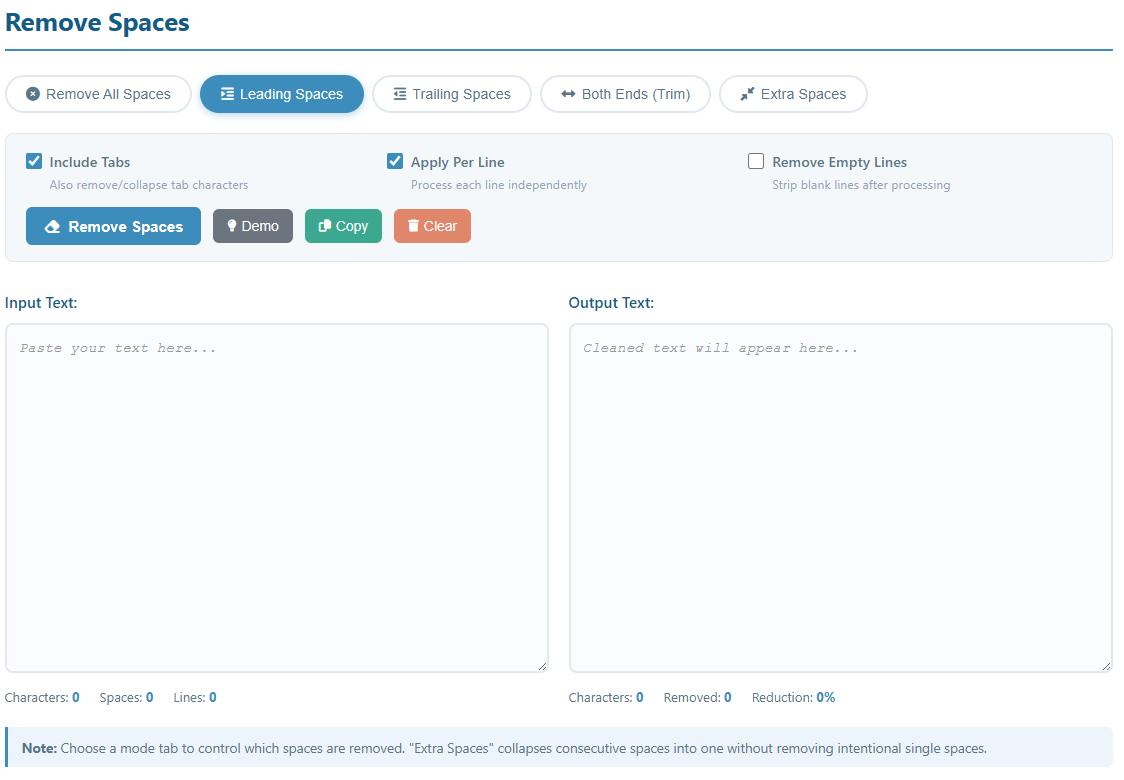
The Remove Spaces tool gives you precise control over whitespace in your text. Whether you need to strip all spaces, clean up indentation, or simply collapse double-spaces into single ones, five dedicated modes let you handle any scenario in one click.
Key Features:
- Remove All Spaces — strip every space and whitespace character
- Leading Spaces — remove indentation/spaces at the start of each line
- Trailing Spaces — clean up invisible spaces at the end of each line
- Both Ends (Trim) — trim leading and trailing spaces simultaneously
- Extra Spaces — collapse multiple consecutive spaces into a single space
- Optional tab character handling alongside spaces
- Per-line or whole-text processing mode
- Real-time stats: character count, spaces count, reduction rate
How to Use
- Select a Mode: Click one of the five mode tabs at the top to choose how spaces should be handled.
- Configure Options:
- Include Tabs: Also process tab characters in addition to spaces.
- Apply Per Line: Treat each line independently (useful for trimming indentation).
- Remove Empty Lines: Delete any blank lines left after space removal.
- Try Demo: Click the "Demo" button to load a sample text and preview the result.
- Remove Spaces: Click the "Remove Spaces" button to process your text.
- Copy Result: Use the "Copy" button to copy the output to your clipboard.
Common Use Cases
Code Formatting Cleanup
Remove trailing whitespace from source code before committing to version control. Many linters and code reviews flag trailing spaces as style violations.
Data Normalization
Trim leading and trailing spaces from fields exported out of databases or spreadsheets to prevent mismatches when comparing or importing values.
Minifying Tokens & Identifiers
Strip all spaces from a list of tokens, variable names, or identifiers to produce compact single-word strings ready for processing or lookup.
Cleaning Copy-Pasted Content
Collapse irregular spacing in text pasted from PDFs, websites, or word processors where multiple spaces appear between words due to formatting artifacts.
Fixing Indentation Issues
Remove inconsistent leading spaces or tabs from text pasted across different editors to get a clean, uniformly formatted starting point.
Preparing API & URL Parameters
Remove all spaces from strings before using them as URL slugs, query parameters, or API keys where spaces are invalid or must be encoded.
CSV & Spreadsheet Cleanup
Trim spaces from cell values exported as plain text to avoid VLOOKUP failures, duplicate entries, and import errors caused by invisible whitespace.
Natural Language Processing
Normalize whitespace in text corpora before tokenization or embedding. Consistent spacing ensures cleaner inputs for NLP pipelines and ML models.
Note: For structured formats like JSON or XML, prefer a dedicated formatter so that meaningful whitespace (e.g. inside string values) is preserved while only formatting whitespace is cleaned.